New 1Stream feature - Set user status based on CW Manage member status (in/out board)
New Feature
Announcement
IQ Integration Platform
CCaaS Contact Center
UCaaS Business Communications
1. Navigate to the 1Stream Portal.
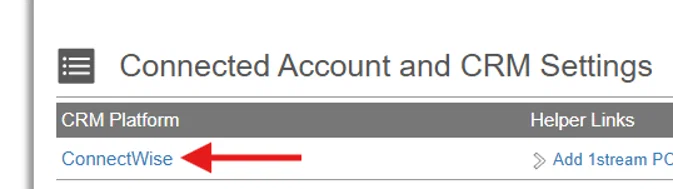
2. From the “Connected Account and CRM Settings” menu, select “ConnectWise”.
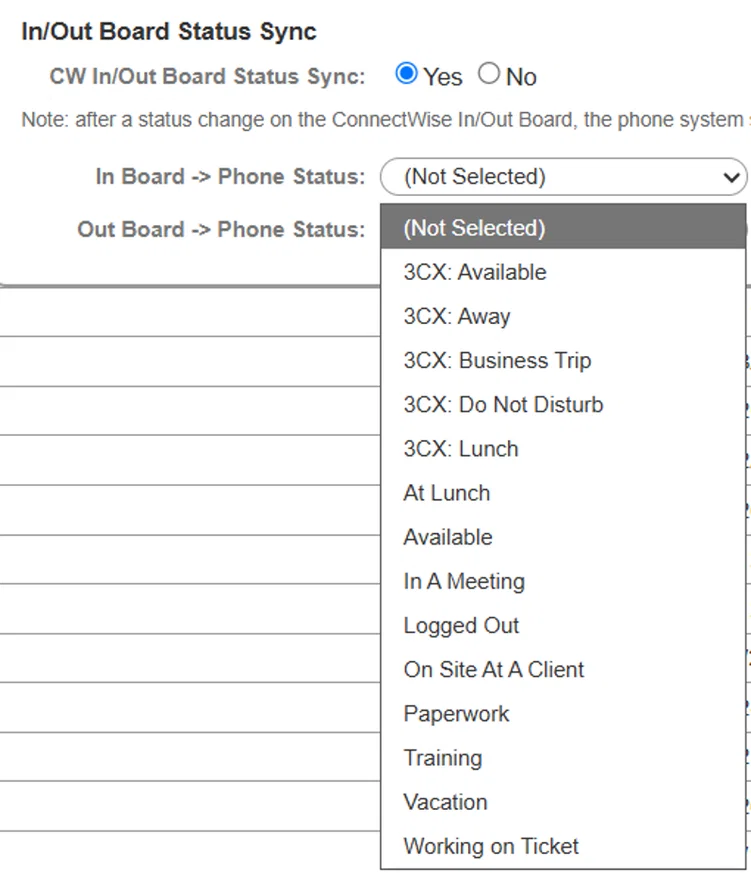
3. Scroll to the bottom of the pop-up and locate the “In/Out Board Status Sync” Set the status to “Yes”.

4. Set phone system statuses for both the “In” board status and the “Out” board status:
5. Scroll back up to the top of the pop-up, then select “Save”.
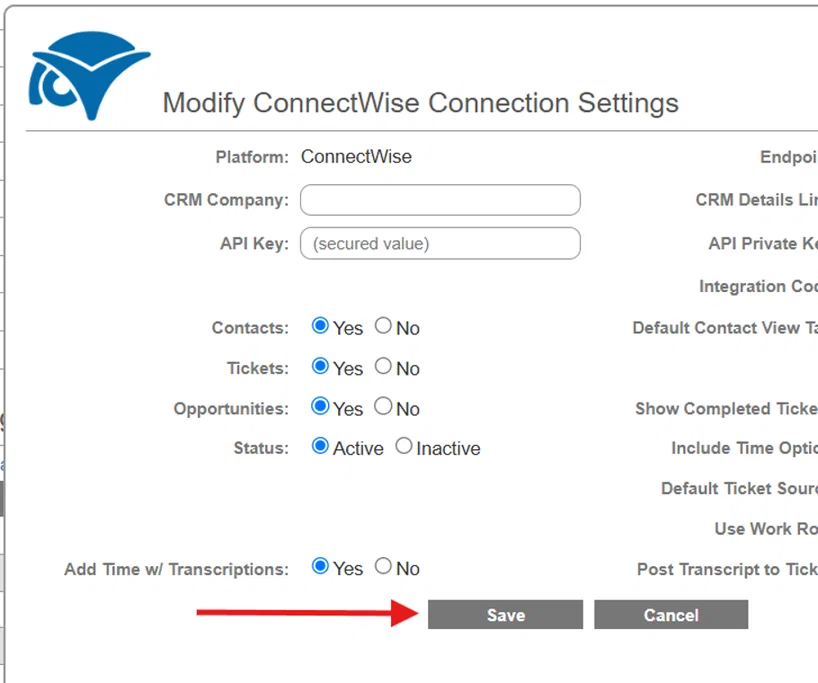
6. Sync is now configured. Note that after a status change on the ConnectWise In/Out Board, the phone system status may take up to 5 minutes to update.